Chud
Join the Discord Download
10 FREE MODS

Kalista custom skins

10 free, community-made Kalista skins in the Chud Library. Top contributors: Aropatnik, LordksOP, itsameandrio#0. Most common themes: fantasy, scifi and meme. Together these mods have 31.4k installs.

10 MODS
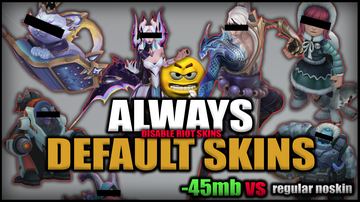
Riot Skin Disabler (NoSkin) — Kalista custom skin

Riot Skin Disabler (NoSkin)

by Moga · 19.4k installs

verified working
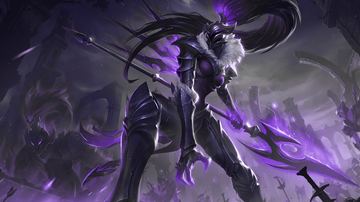
Marauder Kalista - Ashen Knight Chroma — Kalista custom skin

Marauder Kalista - Ashen Knight Chroma

by 1gem1 · 2.8k installs

verified working
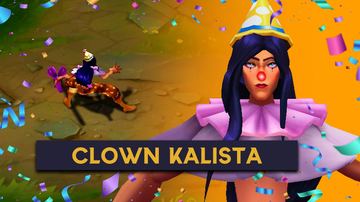
Clown Kalista — Kalista custom skin

Clown Kalista

by LordksOP · 2.3k installs

fantasyverified working
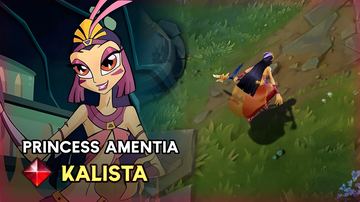
Princess Amentia Kalista — Kalista custom skin

Princess Amentia Kalista

by LordksOP · 1.4k installs

fantasyverified working
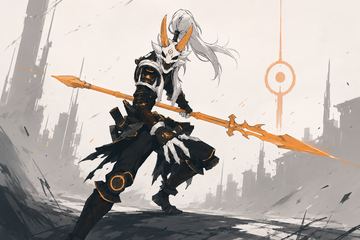
Project: Kalista  — Kalista custom skin

Project: Kalista

by itsameandrio#0 · 1.2k installs

scifiverified working
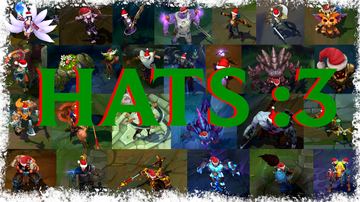
League of Merry Legends: Jolly Hats Edition (PC) — Kalista custom skin

League of Merry Legends: Jolly Hats Edition (PC)

by Aropatnik · 1.1k installs

verified working
Muted Voicelines — Kalista custom skin

Muted Voicelines

by Aropatnik · 929 installs

verified working
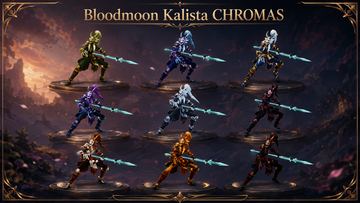
Kalista BLOODMOON chromas — Kalista custom skin

Kalista BLOODMOON chromas

by itsameandrio#0 · 759 installs

verified working
Soul Fighter Kalista — Kalista custom skin

Soul Fighter Kalista

by dredd_6#0 · 731 installs

verified working
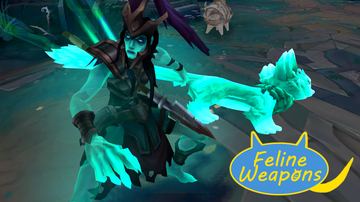
Feline Weapons Kalista — Kalista custom skin

Feline Weapons Kalista

by Aropatnik · 711 installs

memeverified working
HOW TO INSTALL

How to install a Kalista custom skin

01 / INSTALL CHUD

Install Chud, then start League

Chud finds the running League client by itself and connects over the local League client API — nothing to configure.

02 / OPEN THE LIBRARY

Open the Library tab

Search for Kalista and click install on any skin. No accounts, no manual files.

03 / YOUR MODS ROW

It lands on your mods row

Your install shows up automatically on Kalista’s “Your mods” row in champ select.

04 / CHAMP SELECT

Pick it in champ select

Lock in Kalista, open the Skins grid, and pick the mod you installed.

GOOD TO KNOW

Is a custom Kalista skin bannable?

Custom skins are against Riot's ToS. Chud has no ranked-mode lockout and runs heuristic ModScan checks before Library installation, but that isn't the same as ban-proof — nothing is. Full honest answer in the FAQ.

Do Kalista skins break on patch day?

Often, yes — every League patch can change the game files mods target, so skins commonly break until the patcher and the mod itself catch up. Chud re-checks League Toolkit's patcher daily; if you are coming from CSLOL Manager, the error-by-error guide covers the rest.

Can I use these with CSLOL Manager?

Yes. Library mods are standard .fantome packages, the same format CSLOL Manager and LTK Manager install, and Chud applies them with League Toolkit's patcher. File locations and formats are in the docs, and the tools are compared in CSLOL Manager alternatives.

MORE CHAMPIONS
Yasuo68 mods Katarina62 mods Darius59 mods Sett56 mods Yone47 mods Talon41 mods Milio7 mods Camille12 mods Taliyah11 mods Vladimir11 mods Kha'Zix6 mods Miss Fortune21 mods All champions→

Need the app first?

Chud 5.3.13 · Windows 10/11 x64 · Administrator prompt on launch.

Download ChudJoin the Discord